
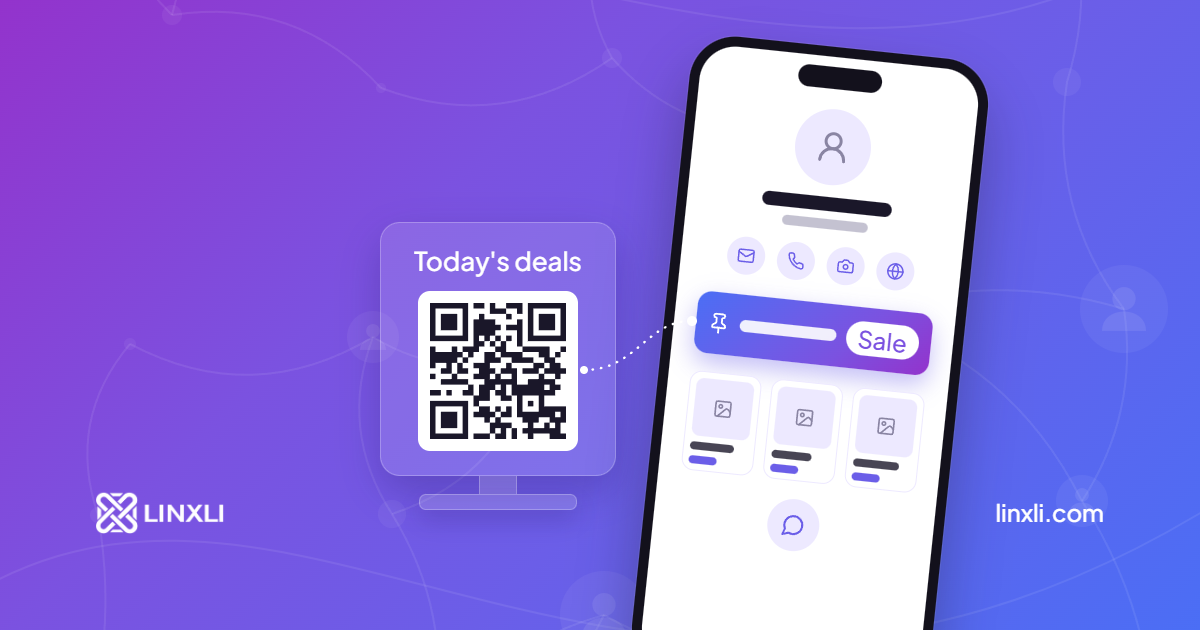
The Black Friday promotion ideas that work best for a small business are the ones a customer can act on from a phone in under a minute: one clear offer, one page that holds it, and an easy way to ask a question or order. Most of your buyers will see the deal on a phone and tap the link in your bio. So instead of another list of discount types, this guide shows how to run the whole sale from that one link, with a day-by-day plan from Friday 20 November to Cyber Monday.
The dates for 2026: Black Friday is Friday 27 November, Small Business Saturday is 28 November, and Cyber Monday is 30 November.
Why your sale should live on one page
Posts scroll away within hours. Stories vanish after a day. The link in your bio is the one thing that stays put, and it's where people go when they think "where was that deal?"
Shopping on phones is now the norm during this week. In Adobe's figures for the 2025 season, 57.5% of Cyber Monday online sales came through a mobile device, and social media's share of revenue that day rose 56.5% year over year. A small shop can't match a big retailer's ad budget. It can make sure that a customer who taps through from a post lands on a page that loads fast, shows the deal first and lets them order without hunting.
Using one page also means one address everywhere: your Instagram bio, your WhatsApp status, the sign on your market stall and the bottom of your emails. Change the offer once and every one of those places shows the new version.
7 Black Friday promotion ideas you can run from your link in bio
These suit makers, boutiques, cafés, salons and anyone who sells through Instagram, Etsy, a simple online store or in person.
1. Pin the offer to the very top
The first button on your page should be the sale. Not your About page, not last month's blog post. Write the button like a headline: "Black Friday: 25% off everything until Monday" tells people more than "Shop now".
2. Put the deal in the product name
If you list products on a shop page, add the offer to each item's name: "Winter candle trio, 25% off until Mon". A customer scrolling quickly sees the deal without opening anything. Link each item straight to that product in your store, not your homepage. Every extra tap is a chance to give up.
3. Let people order or ask on WhatsApp
Plenty of small sellers already take orders in chat. A WhatsApp button with a ready-made message removes the awkward first line. For the sale week, change the message to something like:
"Hi! I saw your Black Friday deal. Is the candle trio still available?"
The customer can edit it before sending, and nobody has to stare at a blank message. You get a lead who already knows what they want.
4. Give early access to your regulars
Your best customers deserve first pick, and it gives you a reason to message them before the rush. Add an "Early access" link that appears on Wednesday and disappears when the public sale starts. Share it in your WhatsApp broadcast or email list a day ahead.
5. Put a QR code on the counter, bags and receipts
For Small Business Saturday, people are in your shop or at your stall. A QR code on the counter, a sticker on each bag or a line on the receipt sends them to the same page with the same deals. Because it opens your page rather than a fixed offer, the code still works in January when the sale is over.
6. Give each post its own link so you know what worked
When you post on Instagram, TikTok and in your WhatsApp status, add a tag to the end of your link so you can see which one brought people in. For example:
linxli.com/@yourname?utm_source=instagram&utm_campaign=blackfriday
Swap instagram for tiktok or whatsapp in the other posts. These are standard tags, often called UTM tags, and many analytics tools read them. Next year you'll know where to spend your time.
7. Keep the people who arrive after the sale
Someone will find your page on Tuesday. Instead of a dead end, swap the pinned button for a thank-you note or your gift guide, and leave a simple form where they can share their email or number to hear about the next offer.
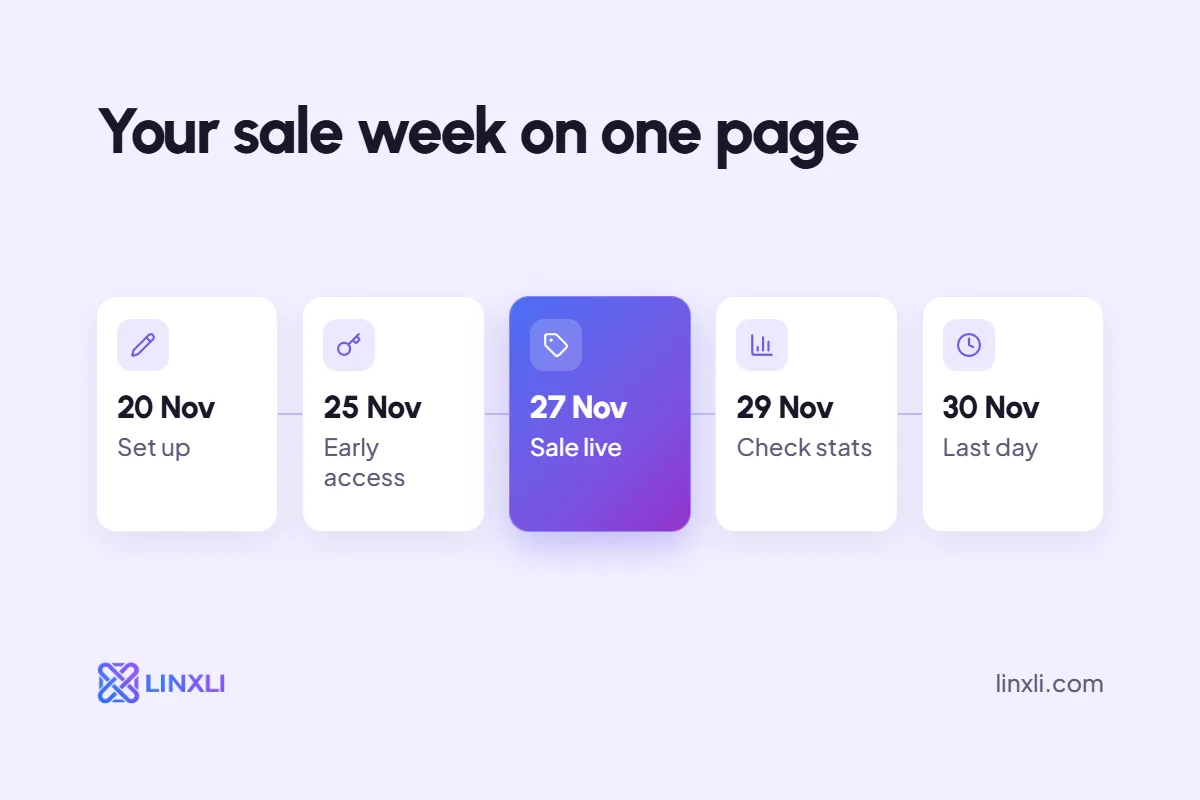
A day-by-day plan: 20 November to Cyber Monday
Most guides tell you to "start early". This is what that looks like, day by day, for a small business running the sale from one page.
Date | On your page | What to post or send |
|---|---|---|
Fri 20 Nov | Add the sale items, write the WhatsApp message, print the QR code | Nothing yet |
Mon 23 Nov | Schedule the early-access link for Wednesday | A teaser: "Something's coming Friday" |
Wed 25 Nov | Early-access link goes live | Message regulars with the early link |
Thu 26 Nov | Schedule the main sale to appear at midnight | A reminder post with the start time |
Fri 27 Nov | Sale pinned at the top | Launch posts, each with its own tagged link |
Sat 28 Nov | Same page, QR on the counter and bags | "Shop small today" post, in-store photos |
Sun 29 Nov | Check which link and product got the most taps; move the best seller up | A post about the best seller |
Mon 30 Nov | "Last day" in the pinned button, sale set to end at 11:59 pm | Final-call post and story |
Tue 1 Dec | Pin a thank-you or gift guide; sale links gone | Thank-you post |
Worked example: a candle maker's Black Friday page
Here's how this could look for a sample seller: a candle maker who sells on Etsy and at a weekend market.
From top to bottom, their page shows:
A pinned button: "Black Friday: 25% off all candles until Monday", linking to their Etsy sale section
A shop page with five items, each named with the deal ("Cedar & smoke, 25% off until Mon") and linking to that listing
A "Chat on WhatsApp" button with the message "Hi! I saw your Black Friday deal. Do you have gift wrapping?"
Their market stall sign with a QR code under the words "Today's deals"
Three launch posts, each with its own tagged link
On Sunday they check which product got the most taps and move it to the top of the shop. On Tuesday the Black Friday button is replaced with "Gift sets ship until 18 Dec". The page they spent an hour on keeps working for the rest of the season.
How to set it up in Linxli
Everything below is on the Free plan unless it says Premium. You'll find each screen in the menu of your Linxli dashboard.
Pin the sale. Go to Links & shop, open the Links tab and add your sale link: paste the web address, then give it a clear title. Open the link's menu and choose Pin to top of page. One link can be pinned at a time.
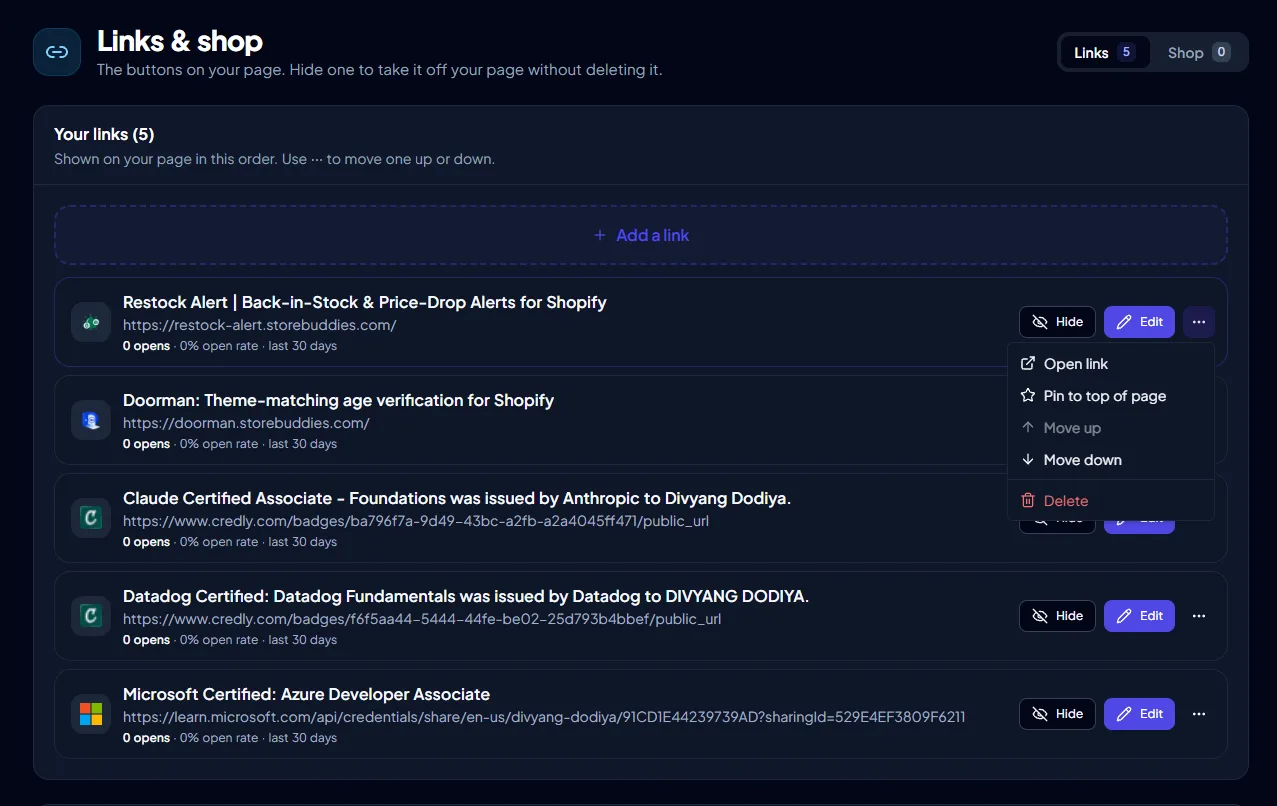
Add the deals to your shop. In Links & shop, switch to the Shop tab and add each product's address. Linxli fetches the picture and description from the product page, so you only need to write the name. The Free plan holds 5 shop items. Premium makes it unlimited.
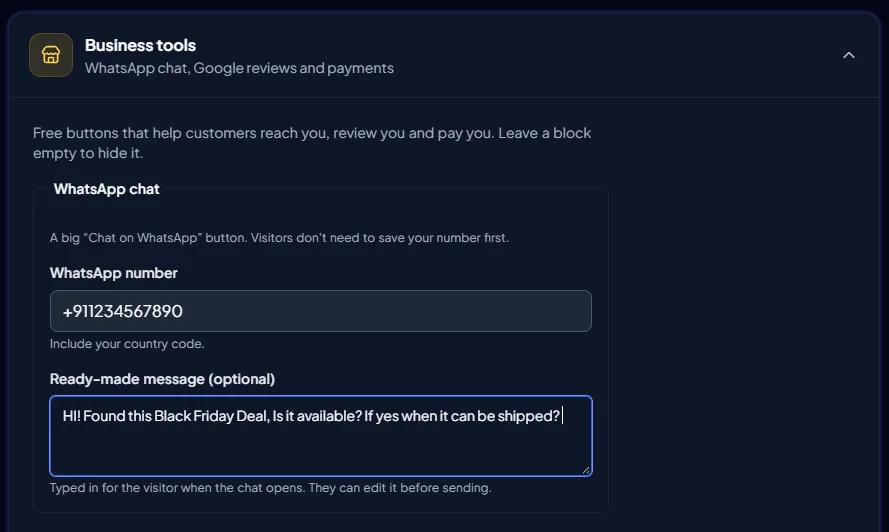
Write the WhatsApp message. Go to Edit profile, open Business tools, and under WhatsApp chat add your number and fill in Ready-made message (optional).
Schedule early access and the end of the sale (Premium). When you add or edit a link, fill in Show from and Hide after. The link appears and disappears on its own, so the sale ends at 11:59 pm on Cyber Monday even if you're asleep. On the Free plan, set a phone reminder and hide the link by hand.
Download your QR code. Open Share & QR code and download the code for your counter sign, bag stickers or receipts. It opens your page, so you never need to reprint it when the offer changes.
Check what worked. Open Stats on Sunday. The Free plan shows visits, taps and your top 5 links for the last 30 days. Premium adds How people found you, which lists the tagged links from idea 6 so you can compare Instagram with WhatsApp.
Three mistakes that cost sales this week
Leaving the sale up after it ends. A customer who taps "25% off" on Wednesday and finds full price feels misled. Schedule the end, or set a reminder.
Sending people to your homepage. If the post is about one product, the link should open that product. Your homepage makes them search.
A different link in every post. Five posts pointing to five places means five things to update when stock runs out. Point them all at your page and update it once.
Plan the rest of the season now
Black Friday is the start of a busy month, not the end of it. Once Cyber Monday is over, the same page can carry your gift guide, your last shipping date and your holiday opening hours. If you haven't set one up yet, read our guide to getting more clicks on your link in bio, or see how local shops, cafés and salons use Linxli. For the basics of one page that holds everything, start with our link in bio page.